Uploaded photo shows red and green blocks
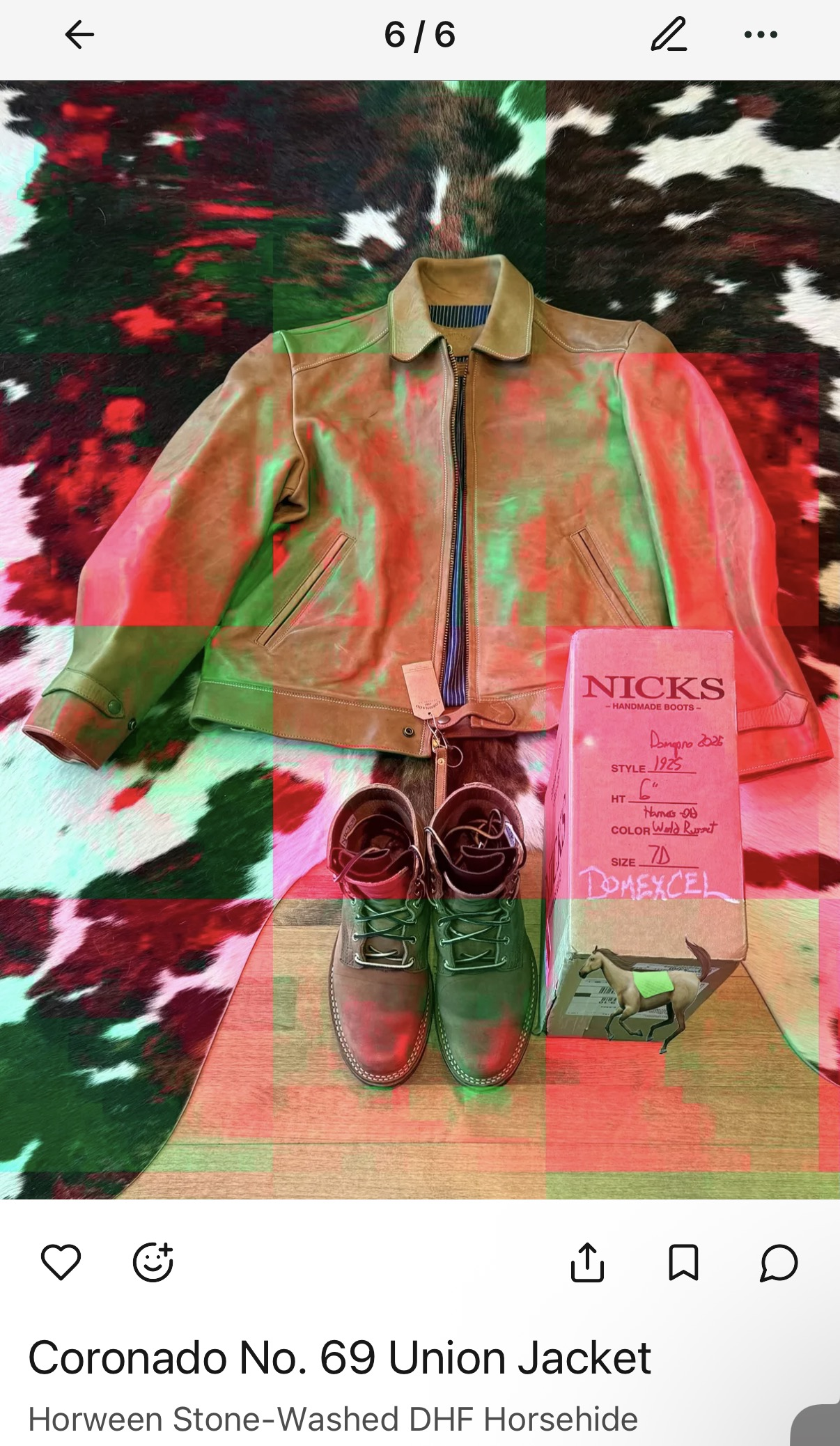
I uploaded a photo of my Coronado No. 69 Union Jacket, and it shows red and green blocks over the image. The photo looks normal on my phone.
What happened
I added a photo to the jacket in my collection. It was the 6th photo.
The upload finished without an error.
When I view the photo in the app, parts of it are covered in large red and green squares.
What I expected
The photo looks the same in Patina Project as it does on my phone.
More details
The other photos I uploaded to the same item look fine. One of them shows the same jacket, boots, and box.
The photo was a HEIC from my iPhone, and I edited it before uploading.
Log in to comment and vote
Comments1
Oct 29
PinnedHi @chris.lee.eight, this was fixed in the v18.10.2 update! Close and reopen the app to get the fix.
We fixed an issue that caused the red and green blocks. It shows correctly now: https://www.patinaproject.com/items/coronado-no-69-union-jacket-horween-stone-washed-dhf-horsehide/3dvj5y5
Could you let me know if everything looks good on your end?